Shadow AI vs. Invisible AI: How to Find Hidden AI Inside Your SaaS Stack
Your security team may know about the AI tools employees adopt on their own. The harder problem is the AI that quietly appears inside software your organization has already approved.
Shadow AI and Invisible AI create the same core problem: AI can operate outside the visibility of your security and governance processes.
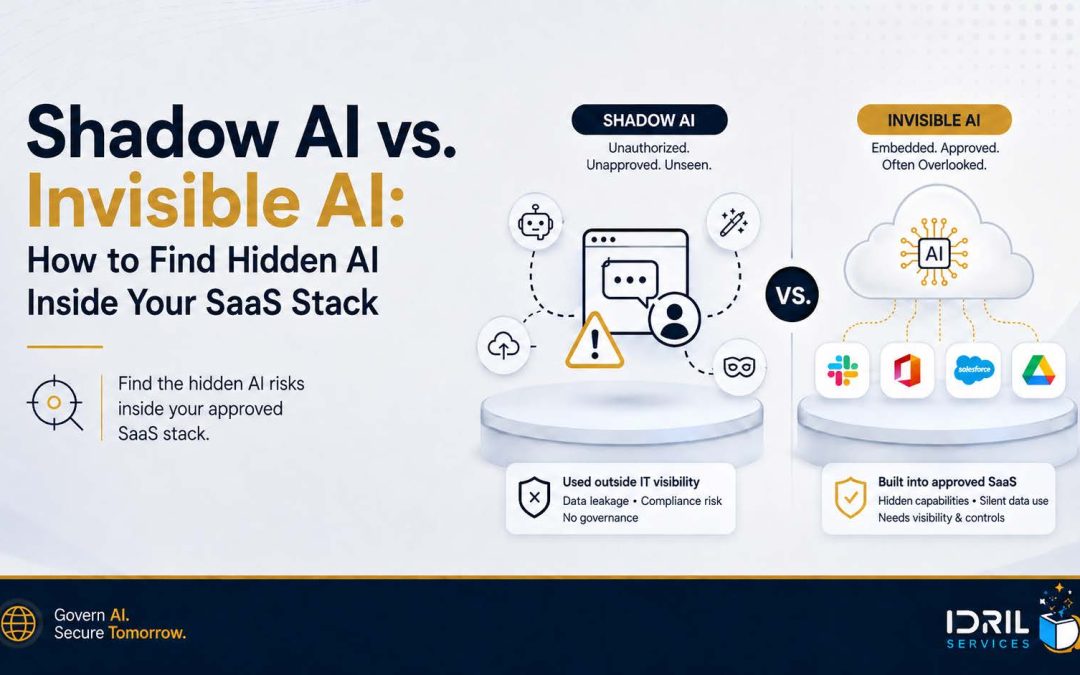
Shadow AI usually enters when employees or departments adopt AI without approval. In this article, we use Invisible AI to describe AI functionality added to SaaS platforms, business applications, and workflows that were already approved.
That distinction matters because a clean software inventory does not automatically equal a complete AI inventory. As vendors add copilots, summarization, scoring, agents, transcription, generative search, and automated workflows, a system that passed security review two years ago may now create entirely new data flows, permissions, model dependencies, and attack paths.
If you are still trying to identify unauthorized employee AI use, start with Idril’s Shadow AI Is Already in Your Organization — Here’s How to Find and Govern It. This article picks up where that one leaves off: finding the AI hidden inside your approved SaaS stack.
Why Hidden AI Inside SaaS Deserves Its Own Security Review
AI is no longer a separate category of software. It is increasingly becoming a feature layer across the enterprise technology stack.
McKinsey’s 2025 global AI survey found that 88% of respondents said their organizations regularly use AI in at least one business function, while only about one-third reported that their organizations had begun scaling AI programs. Read McKinsey’s State of AI research.
The security gap is also measurable. IBM’s 2025 Cost of a Data Breach research reported that one in five studied organizations experienced a breach linked to shadow AI. Organizations with high levels of shadow AI experienced up to $670,000 in higher average breach costs than organizations with little or no shadow AI. IBM also reported that 63% of breached organizations lacked AI governance policies or were still developing them. Explore IBM’s Cost of a Data Breach Report.
The important takeaway: the AI risk problem is no longer limited to employees opening unapproved chatbot accounts. Security teams also need to ask whether previously approved software has materially changed.
Shadow AI vs. Invisible AI: What Is the Difference?
Shadow AI is already a well-understood governance problem. Rather than repeat the full definition and discovery process here, the useful distinction is how the AI entered the environment.
| Dimension | Shadow AI | Invisible AI |
|---|---|---|
| How it enters | Employees or teams adopt AI tools, extensions, accounts, or workflows without approval. | An approved vendor adds AI capabilities through product updates or integrations. |
| Why it is missed | Procurement, IT, or security never saw the adoption. | The software is already known, so teams assume the original security review still applies. |
| Typical examples | Personal AI accounts, browser extensions, departmental subscriptions, or unreviewed AI automations. | CRM lead scoring, meeting summaries, SaaS copilots, AI search, HR screening, and autonomous workflows. |
| Primary discovery question | What AI are employees using that we did not approve? | What approved applications have become AI-enabled since we last reviewed them? |
Important: Invisible AI is not intended here as a new regulatory category. It is a practical security label for an increasingly common operational blind spot: the software stayed the same in your inventory, but the behavior of the software changed.
Where Invisible AI Hides in a Typical SaaS Stack
The fastest way to find embedded AI is to stop looking only for products marketed as “AI tools.” Instead, review the business systems that already have access to sensitive information or influence important decisions.
| Business System | AI Capabilities to Look For | Why Security Should Care |
|---|---|---|
| Productivity & collaboration | Document drafting, summaries, enterprise search, meeting transcription, assistants | May expose email, files, meetings, and internal knowledge. |
| CRM & sales | Lead scoring, forecasting, recommendations, generative email, call summaries | Can process customer data and influence revenue decisions. |
| HR & talent | Candidate screening, employee analytics, interview summaries | May affect employment decisions and process sensitive personal data. |
| Customer service | Automated replies, ticket summaries, agent assist, chatbots | May expose customer information and generate customer-facing outputs. |
| Development | Code generation, debugging, repository agents, documentation | Can access source code, secrets, repositories, and deployment tools. |
| Finance & operations | Forecasting, anomaly detection, document analysis, autonomous workflows | May influence financial decisions or trigger downstream actions. |
Why an Old Vendor Review May No Longer Be Enough
A vendor can pass a traditional SaaS security review and later introduce AI features that change its risk profile. That does not mean the vendor is unsafe. It means the assumptions behind the original review may no longer be complete.
1. New Data Flows
A feature that generates summaries, recommendations, or predictions may send selected information to a model provider or additional subprocessor.
Security and privacy teams need to understand what data reaches the model, where it is processed, how long it is retained, whether it can be used for training, and whether administrators can control the feature.
For practical employee data-handling controls, see Idril’s GenAI data privacy guide.
2. New Model and Subprocessor Dependencies
Your contract may be with the SaaS vendor, but the AI feature may rely on another foundation model, hosting provider, retrieval layer, or model-routing service.
Those dependencies belong in vendor risk management because they can affect data residency, retention, confidentiality, change control, and incident response.
3. Broader Permissions and Agency
A text generator is one risk profile. An assistant that can read email, retrieve CRM records, open files, call APIs, create tickets, or trigger workflows is another.
The more an AI capability can access and do, the more important least privilege, human approval, logging, and rollback controls become.
4. New Attack Paths
Prompt injection and sensitive information disclosure are no longer theoretical concerns. OWASP identifies prompt injection as a leading LLM application risk and explains how manipulated inputs can alter model behavior, expose information, or enable unauthorized actions when AI systems have connected tools or permissions.
Useful technical references include OWASP LLM01:2025 Prompt Injection and OWASP LLM02:2025 Sensitive Information Disclosure.
How to Find Invisible AI in Your Approved SaaS Stack
Do not restart your entire security program. Use the inventories, vendor reviews, identity data, and change-management processes you already have.
Step 1: Start with your highest-impact SaaS vendors
Prioritize applications that hold sensitive data, have broad integrations, or influence material decisions. For most organizations, that means productivity, CRM, HR, customer service, finance, development, identity, and collaboration platforms.
Step 2: Check what changed since the last review
Compare your last vendor assessment date with the vendor’s release notes, AI product pages, administrator settings, trust center, privacy terms, and subprocessor list.
Look specifically for copilots, assistants, generative search, transcription, scoring, agents, recommendations, and automation.
Step 3: Map data access and model dependencies
For each material AI capability, document the data it can access, the model or model provider involved when known, where processing occurs, what is retained, and whether information can be reused for training or service improvement.
Step 4: Review permissions, integrations, and actions
Ask whether the AI only generates an output or whether it can retrieve information and take action. Record the identities, repositories, APIs, databases, calendars, email systems, and workflows it can reach.
Step 5: Add an AI-change trigger to vendor management
Do not wait for contract renewal. A material AI capability, new model provider, significant permission expansion, or change in data use should trigger reassessment just as other major architecture or subprocessor changes would.
Use an AI Inventory That Can Capture Embedded AI
A conventional software inventory is not enough. Add fields that make AI functionality visible at the feature and workflow level.
| Inventory Field | What to Capture |
|---|---|
| Application / vendor | The approved SaaS product or business system. |
| AI capability | Copilot, scoring, summarization, search, transcription, agent, recommendation, automation, etc. |
| Business owner | Team accountable for the workflow and outcome. |
| Use case | What the AI feature actually does in the business. |
| Data accessed | Customer data, employee data, financial data, source code, IP, credentials, or public data. |
| Model / provider | Internal model, vendor model, or external foundation model when known. |
| Retention / training terms | Whether prompts, files, outputs, or telemetry are retained or reused. |
| Permissions / actions | Read, write, execute, approve, send, create, delete, or trigger workflows. |
| Subprocessors | Additional providers involved in AI processing. |
| AI enabled by default? | Whether the capability appears automatically or requires administrator opt-in. |
| Last security review | Whether the review occurred before or after the AI capability was introduced. |
| Risk tier / reassessment status | Low, medium, high; owner; remediation or review required. |
Idril’s 2026 AI Compliance Readiness Guide provides a broader governance starter kit, including AI inventory, ownership, review cadence, and a practical roadmap for lean teams.
Which Invisible AI Findings Should You Prioritize First?
Not every embedded AI feature deserves the same response. A meeting-summary feature and an autonomous workflow connected to customer records should not sit in the same risk bucket.
Prioritize reassessment when the AI feature:
- Processes regulated, confidential, proprietary, or customer data.
- Influences hiring, eligibility, pricing, financial, security, or other consequential decisions.
- Can access multiple enterprise systems or retrieve information across permission boundaries.
- Can take actions rather than only generate recommendations.
- Uses a new external model provider or subprocessor.
- Is enabled by default or can be activated without security review.
- Consumes untrusted external content such as webpages, emails, uploaded documents, or third-party knowledge sources.
This risk-based approach aligns with the intent of the NIST AI Risk Management Framework and its Generative AI Profile.
Make AI Reassessment Part of Normal Cybersecurity Operations
Invisible AI is easiest to manage when it becomes part of processes your organization already runs. The answer is not a separate approval bureaucracy for every AI feature.
- Add AI-specific questions to vendor security assessments and annual vendor reviews.
- Create event-driven reassessment triggers for major AI feature, model, subprocessor, and permission changes.
- Include AI-enabled applications in data-flow and access reviews.
- Require business owners for high-impact AI use cases.
- Track AI-specific incidents, exceptions, and policy violations in existing security workflows.
- Include material AI risks in executive and board-level security reporting where appropriate.
Organizations that need an ongoing operating model can review Idril’s Cybersecurity as a Service (CSaaS) approach, which combines risk assessment, compliance readiness, security leadership, and AI governance capabilities.
The Idril CSaaS process shows how the engagement moves from assessment and scoping into ongoing governance and program improvement.
Quick Check: Do You Have an Invisible AI Blind Spot?
If you answer “yes” to several of these questions, your AI inventory may be incomplete:
- Your AI inventory mostly lists standalone tools such as ChatGPT, Copilot, Claude, or Gemini.
- Your SaaS inventory is much larger than your AI inventory.
- Major SaaS vendors have added AI features since their last security review.
- Business teams cannot explain which models or providers sit behind AI-generated recommendations.
- AI features can access sensitive data using permissions granted to the underlying SaaS platform.
- Vendors can enable new AI functionality without triggering reassessment.
- Your vendor review process is calendar-based only and does not include material-change triggers.
Visibility Comes Before AI Governance
You cannot govern AI you cannot see. The practical goal is not to treat every AI feature as an emergency. It is to know where AI is operating, what data and permissions it touches, which third parties it depends on, and which use cases require stronger controls.
For organizations that have adopted AI quickly—or simply are not sure how much AI is already operating inside their technology stack—Idril Services can help establish that baseline.
Idril’s cybersecurity services and advisory-led CSaaS model can support risk discovery, vendor reassessment, governance, compliance readiness, and ongoing security oversight.
Start With a Cyber Risk Assessment
Identify where AI is operating, which hidden dependencies matter, and which findings should be prioritized first.
Frequently Asked Questions
What is the difference between Shadow AI and Invisible AI?
Shadow AI usually refers to AI tools, accounts, extensions, or workflows adopted without IT or security approval. In this article, Invisible AI describes AI capabilities that appear inside software the organization already approved, such as SaaS copilots, AI summaries, predictive scoring, generative search, or autonomous workflows. The key difference is how the AI entered the environment: unauthorized adoption versus functionality added to an approved system.
How do you find Invisible AI inside approved SaaS applications?
Start with high-impact SaaS vendors and compare their current AI capabilities with the date and scope of the last security review. Review release notes, administrator settings, AI product pages, trust centers, privacy terms, subprocessors, data flows, model dependencies, permissions, and integrations.
Why is an AI inventory different from a traditional software inventory?
A software inventory tells you which applications are present. An AI inventory should also capture the AI capability, business use case, data accessed, model or provider, retention and training terms, subprocessors, permissions, whether AI is enabled by default, the date of the last security review, and the current risk tier or reassessment status.
When should an existing SaaS vendor be reassessed because of AI?
Reassessment should be triggered when a vendor introduces a material AI capability, new model provider or subprocessor, expanded data use, broader permissions, agentic or autonomous actions, or other changes that alter the assumptions behind the original security review.
Can a Cyber Risk Assessment help identify hidden AI risks?
Yes. A structured Cyber Risk Assessment can help establish where AI is operating, identify data and permission exposure, surface vendor and model dependencies, prioritize high-risk use cases, and determine where existing cybersecurity and governance controls need to be extended.